
Click on the booking you wish to remove a player from and select “Update Booking.”

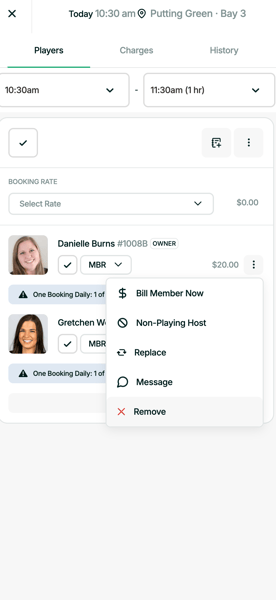
Then click on three dots to the right of the player in question and select Remove.
Click “Save” in the bottom right corner.
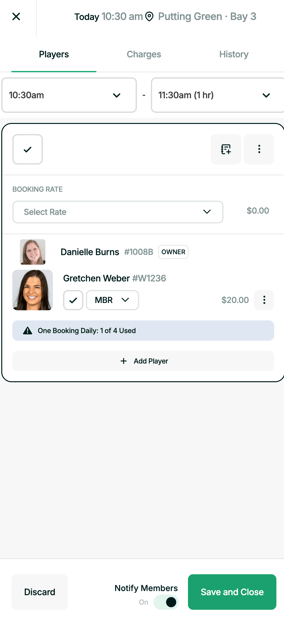
Note: You can choose to notify the member or not by clicking on the “Notify Members” toggle.
Then click on three dots to the right of the player in question and select Remove.
Click “Save” in the bottom right corner.
Note: You can choose to notify the member or not by clicking on the “Notify Members” toggle.