How do I add a lesson from the instructor's column?
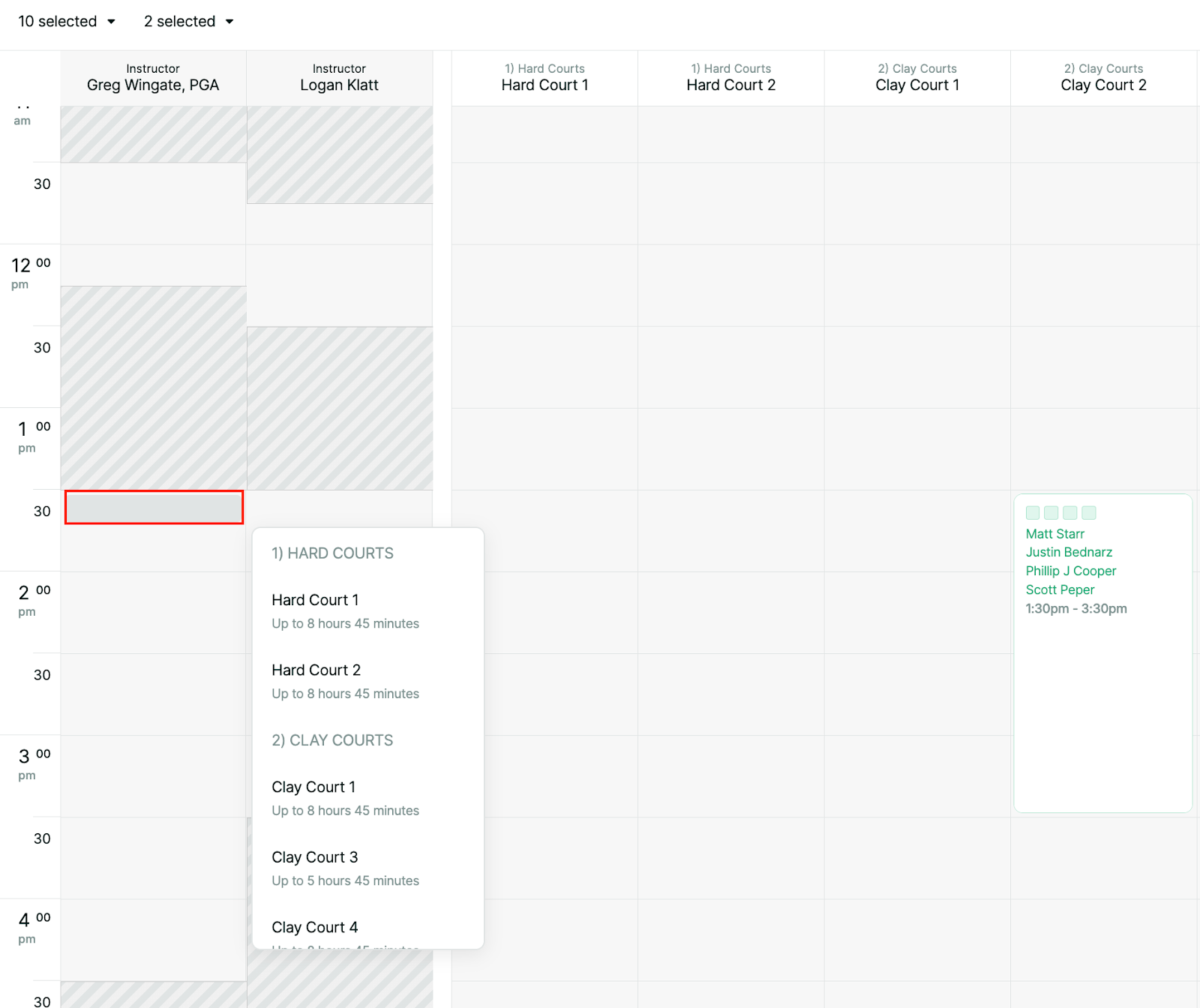
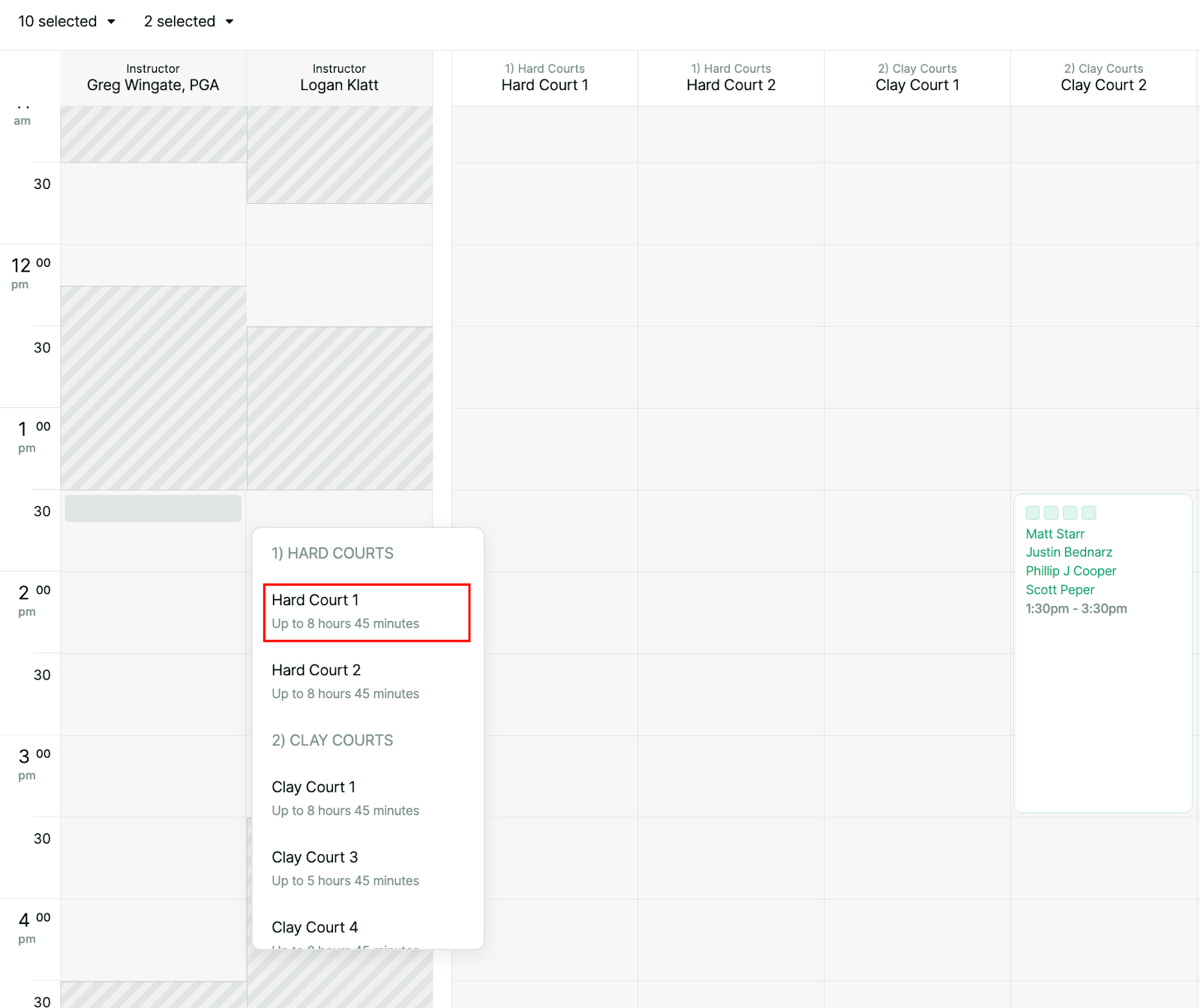
To solve this, we have added the ability to open the instructor's availability column and click on the exact time of the intended lesson and book a court without having to scroll across all of the courts to find availability.
Click on a time in the instructor column to make a lesson
Select a court for the lesson to take place on
Fill in the player and the lesson details and confirm the lesson